Serial Flux
Edit Send Sequence
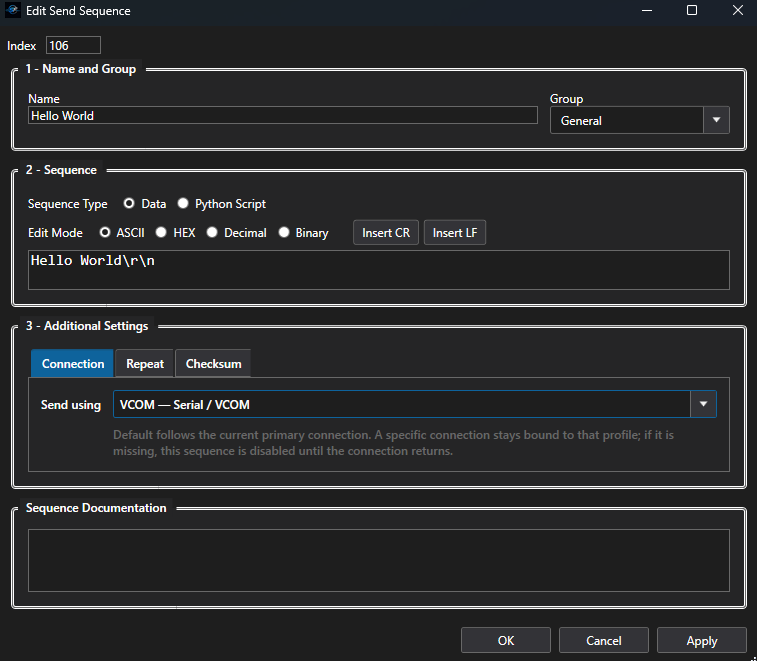
When creating or editing a Send Sequence, you can select which configured connection should receive the message. This lets individual sequences target a specific connected device instead of requiring all communication to use the same port. A project can therefore contain commands for multiple COM, TCP/Telnet, or J-Link RTT connections while keeping each message associated with the device it is intended to control. Send Sequences can also be named and configured with the appropriate data format, making frequently used commands easy to organize, identify, and transmit during testing.