Serial Flux
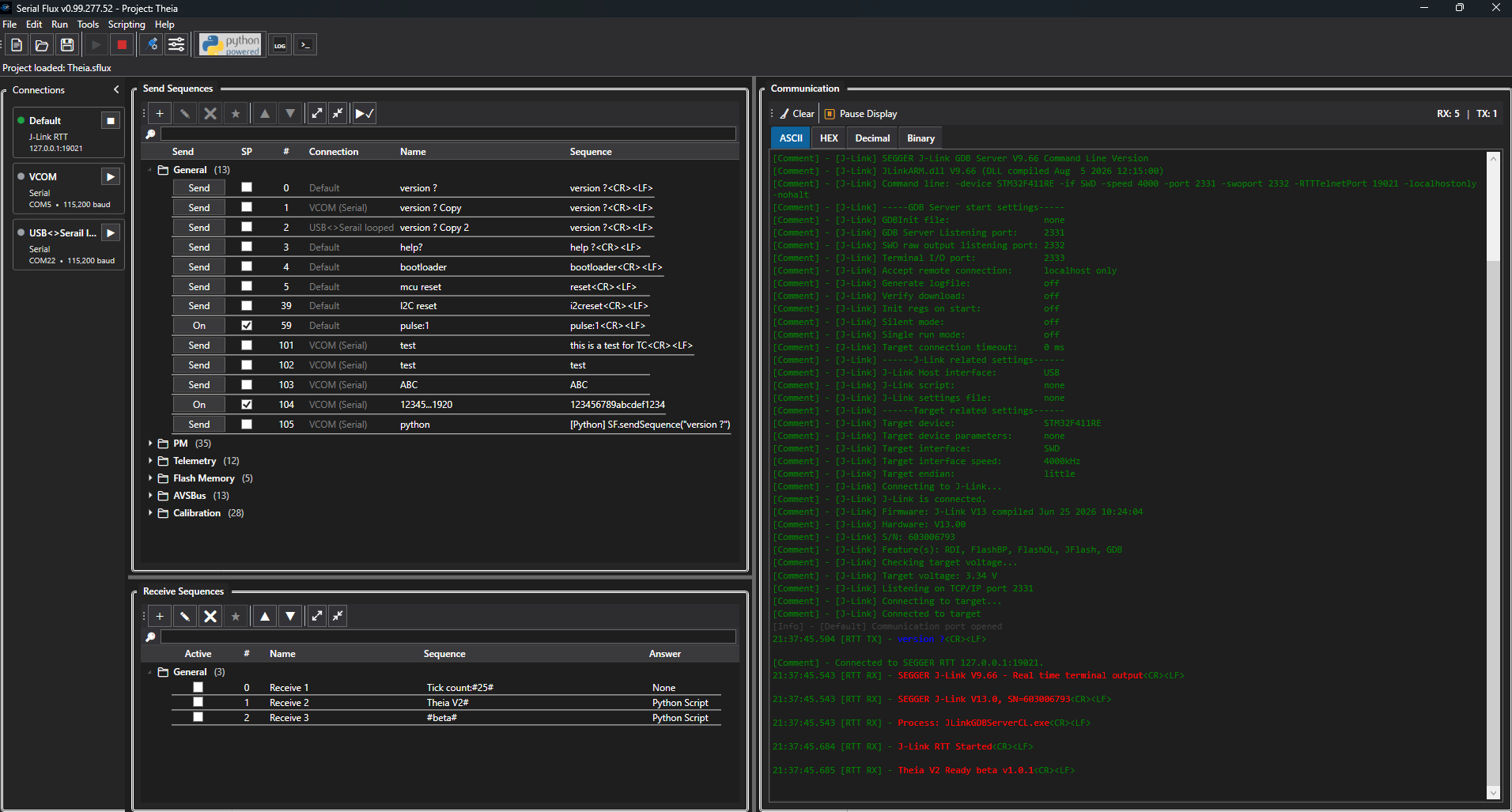
Serial Flux Main Window
The Serial Flux main window brings Send Sequences, Receive Sequences, and live communications together in one workspace. Send Sequences provide quick access to commands and messages you transmit to connected devices, while Receive Sequences can identify incoming messages and perform configured actions. The Communication panel displays data being sent and received across your active connections. Communication data can be viewed in ASCII, HEX, Decimal, or Binary format to suit the protocol and debugging task.