Serial Flux
Professional serial communications for engineers who need to monitor, control, and automate multiple devices without juggling separate terminal applications.
- Open and run multiple serial devices at the same time
- View each connected device's data together inside Serial Flux
- Start and stop each device independently
- Match incoming Receive Sequence messages and automatically reply with a Send Sequence
- Undock Communication and Sequence windows for flexible multi-monitor layouts
- Built-in XMODEM, YMODEM, and ZMODEM transfer support
- Multi-connection COM, TCP, and J-Link RTT workflows
- FTDI Controller: independent FT4232HQ channel GPIO and SPI controls
- ASCII, HEX, Decimal, and Binary views
- Logging, timestamps, aliases, and communication history

Communication, automation, and debugging in one workspace
Click an image to view a larger screenshot and more information.
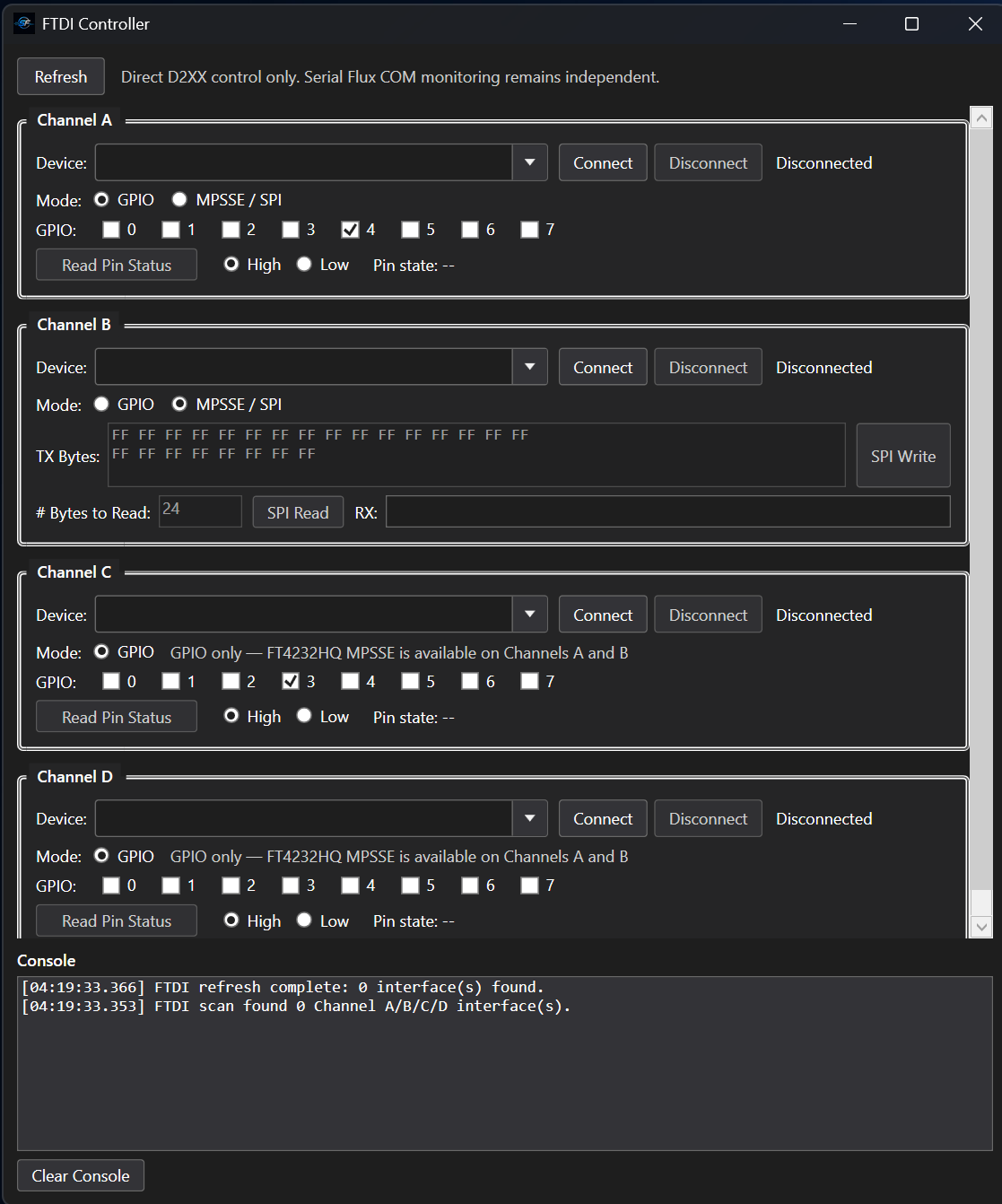
FTDI Controller — New
Control FT4232HQ GPIO, use MPSSE/SPI on channels A and B, and view device scan messages. See feature details.
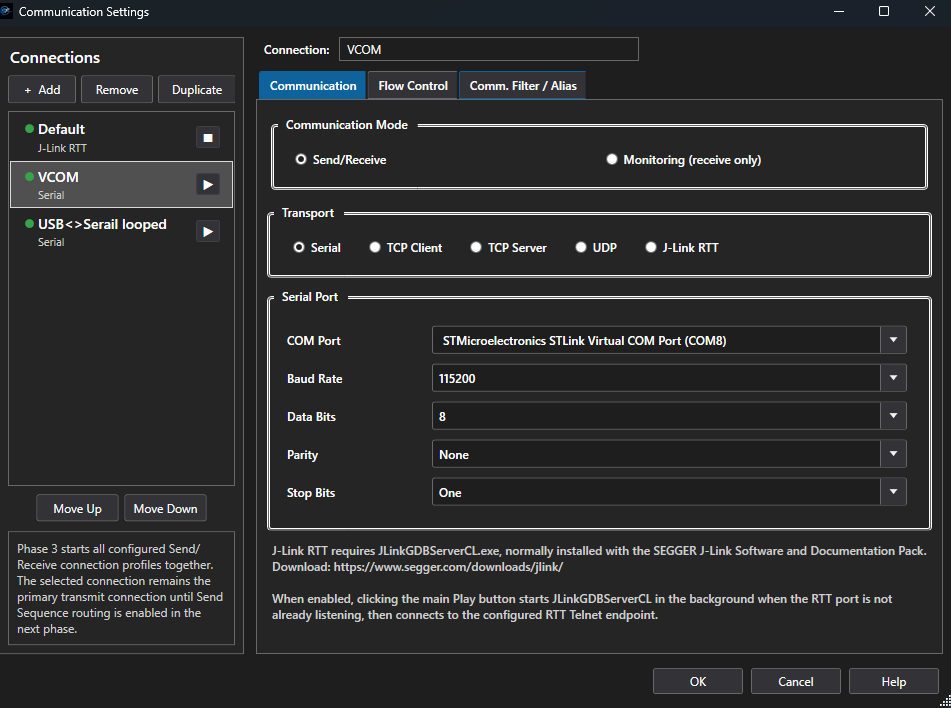
Communication Settings
Create and manage multiple independent device connections.
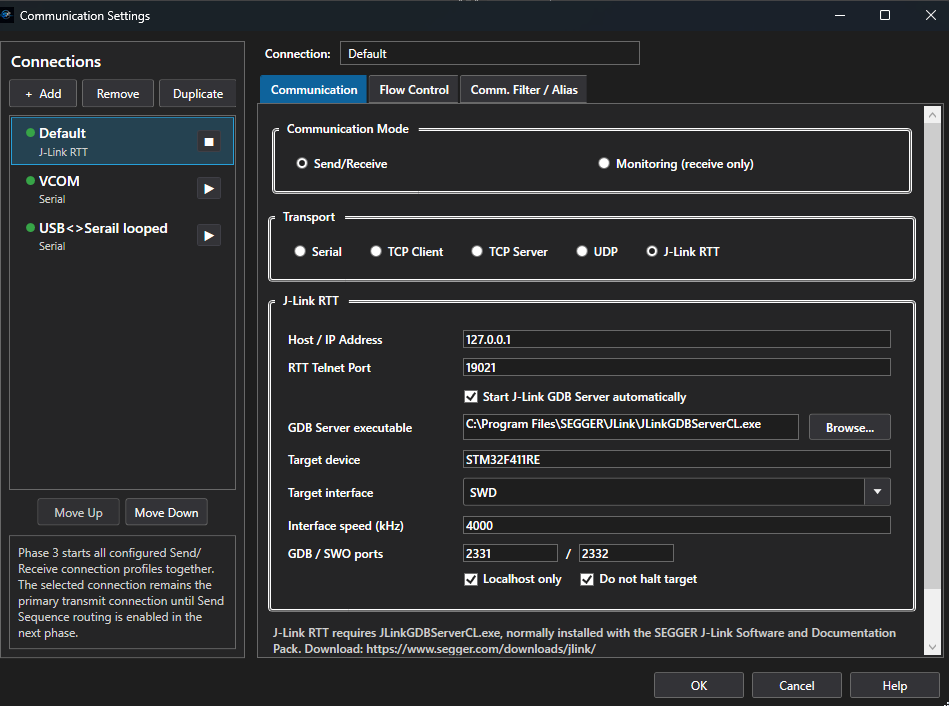
J-Link RTT Connection
Connect through SEGGER J-Link RTT for embedded target communication.
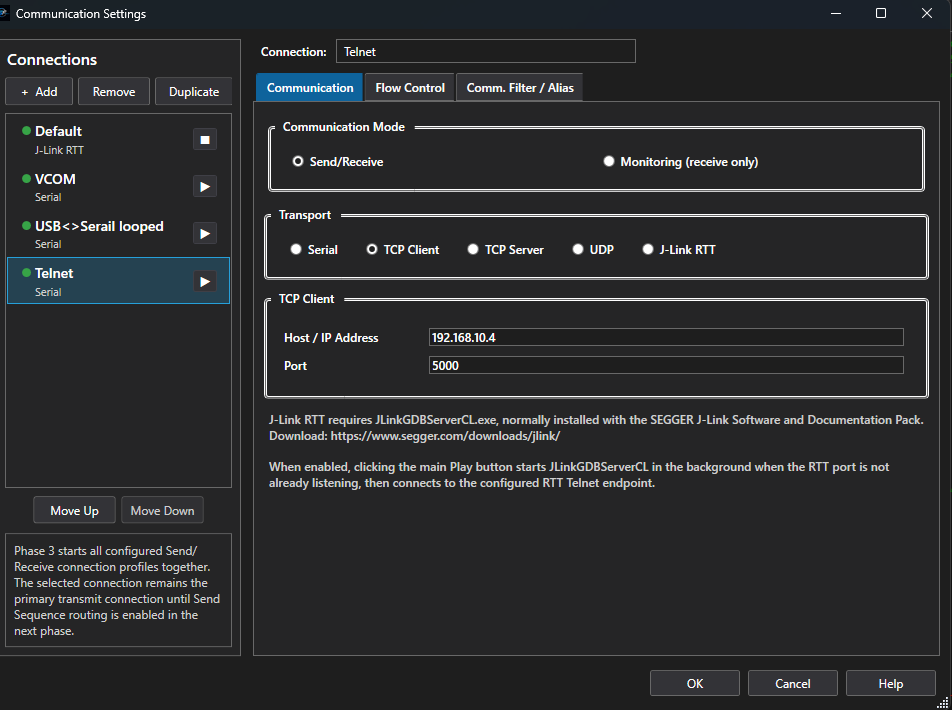
Telnet Communication
Communicate with network-connected devices over TCP/Telnet.
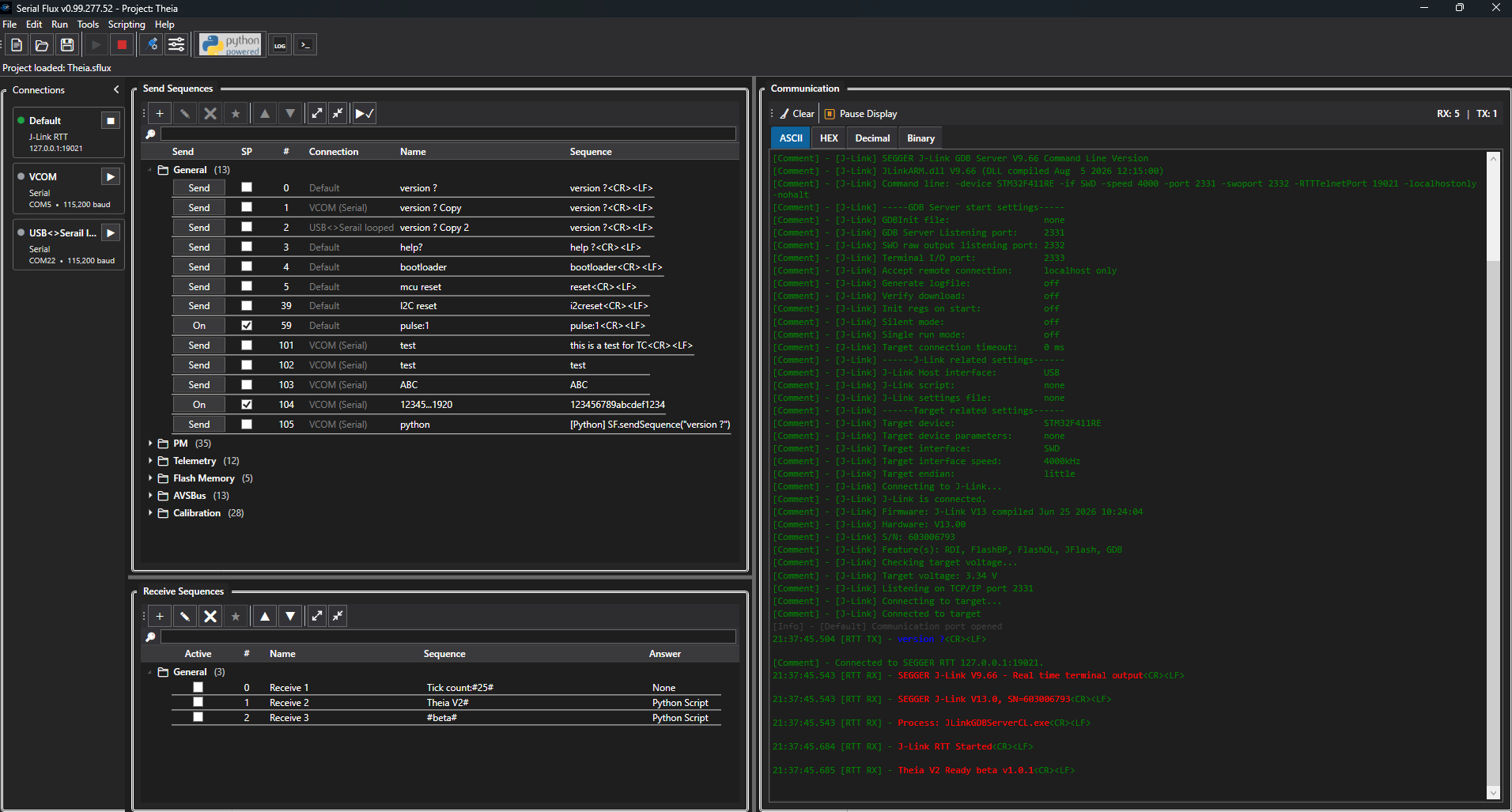
Main Workspace
Send Sequences, Receive Sequences, and live communication together.
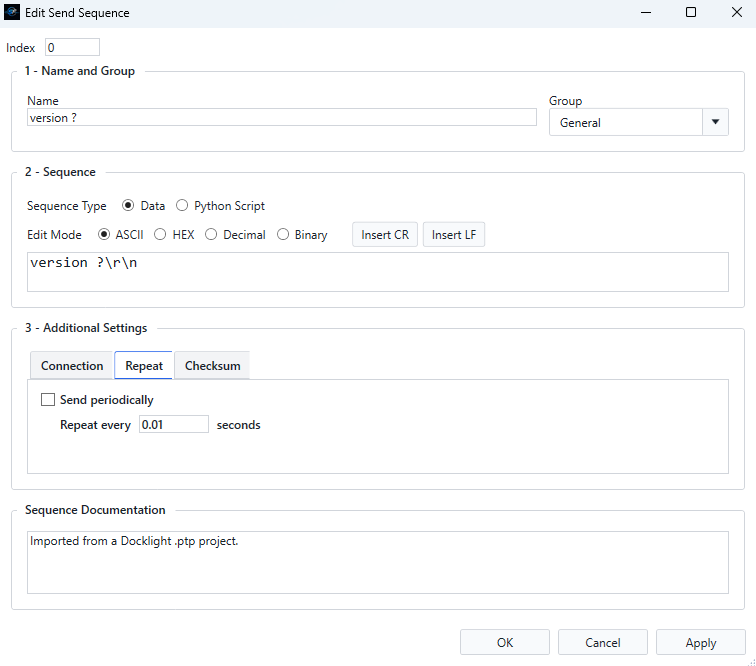
Periodic Send
Automatically transmit messages at a configured interval.
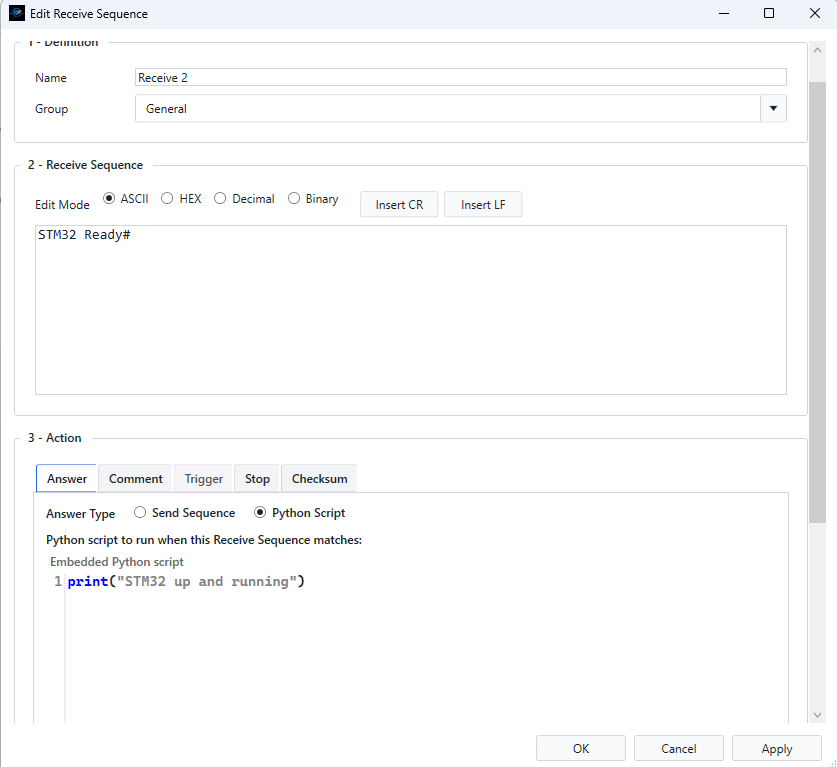
Receive Match Actions
Match incoming data and automatically send a response or run Python.
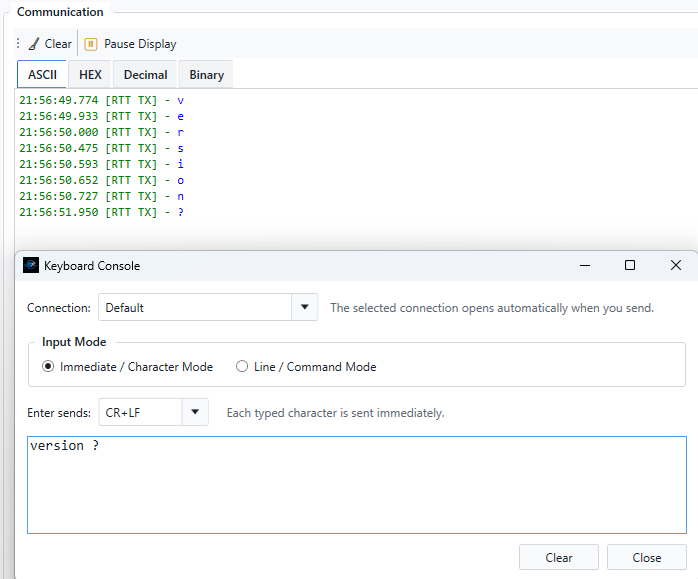
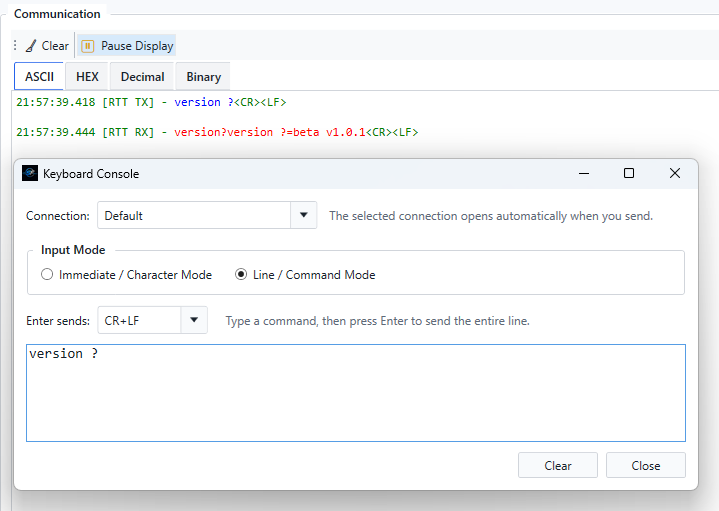
Keyboard Console
Send characters as you type or compose and send a complete line.
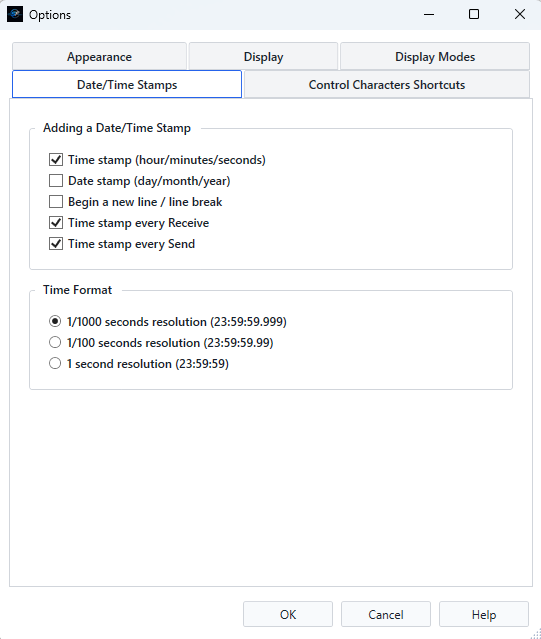
Timestamps
Add date and time information to communication traffic.
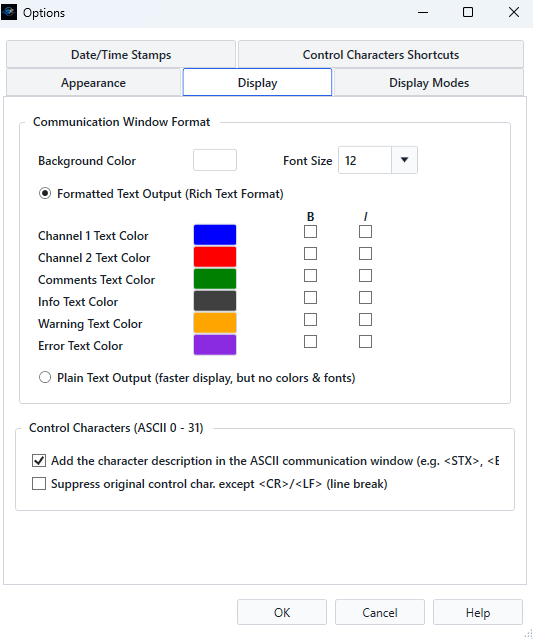
Communication Colors
Customize colors to make traffic and important messages easier to identify.
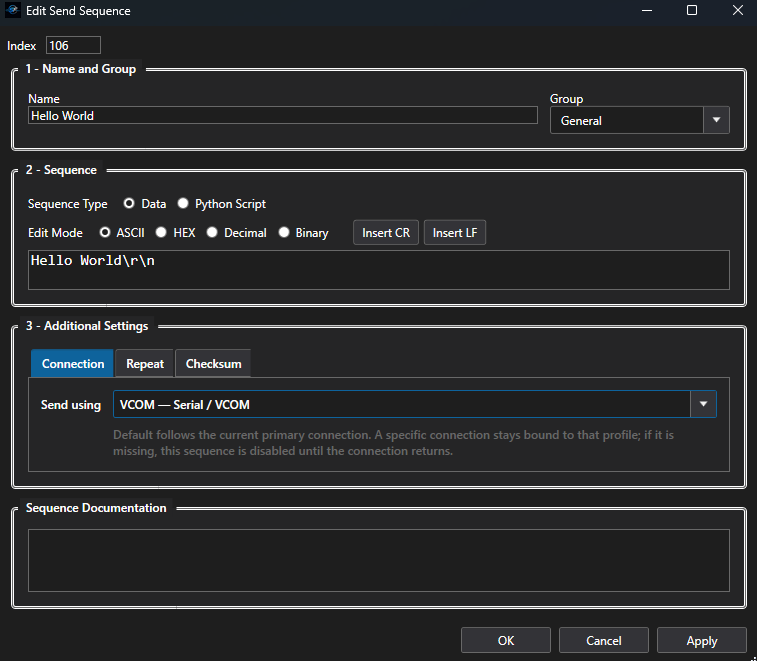
Edit Send Sequence
Bind individual messages to the connection they are intended to control.
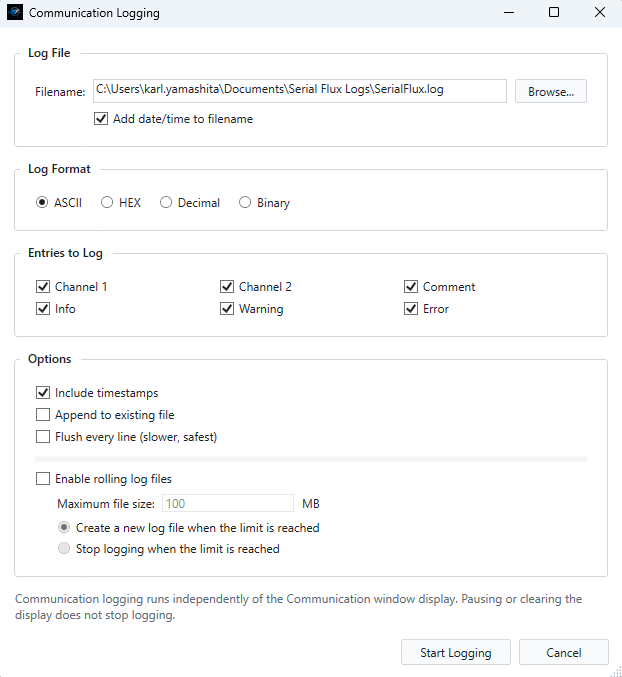
Communication Logging
Capture transmitted and received data for later review.
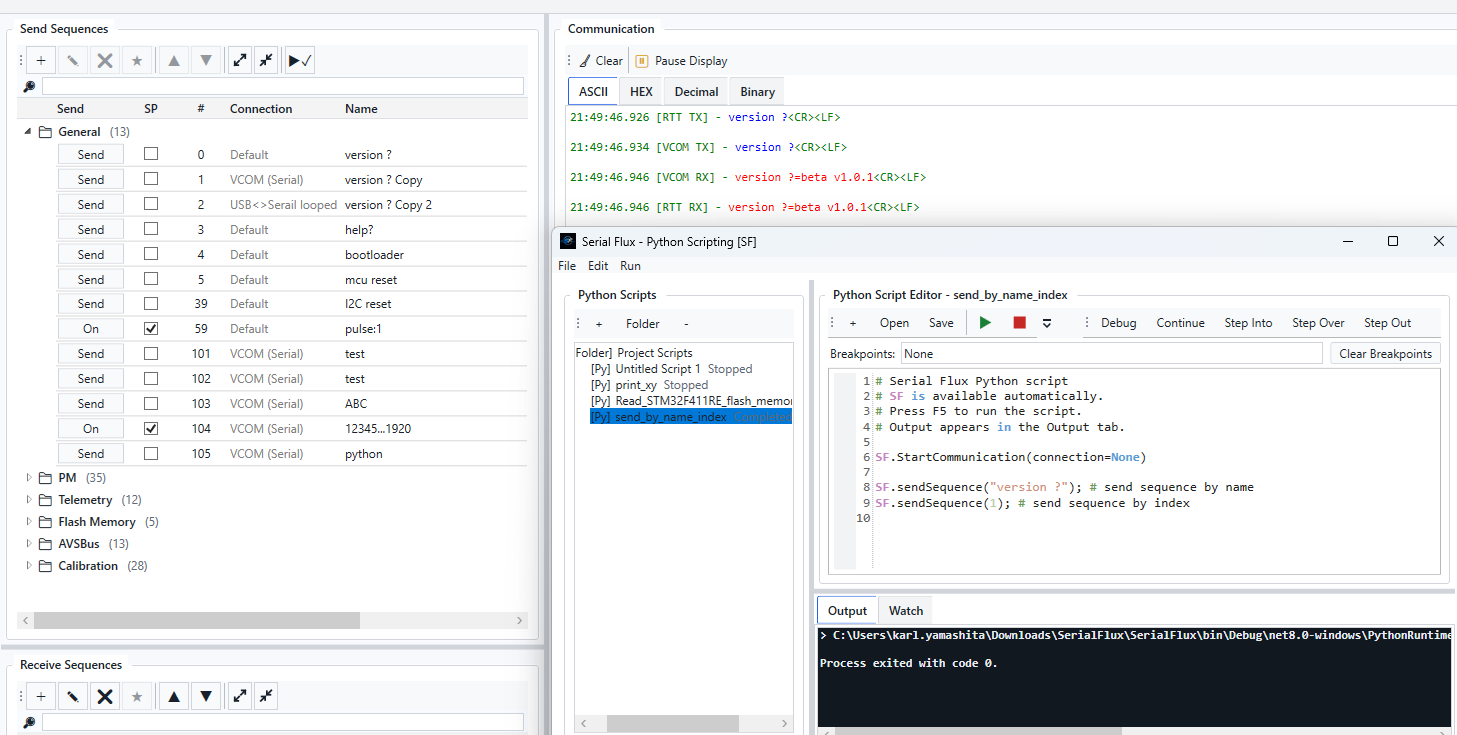
Python Scripting
Automate communication and test workflows with the integrated Python environment and SF API.